How DNS Resolution Works
DNS stands for Domain Name Server. This acts as the internet’s phonebook. It serves the purpose of translating domain names into IP addressed, comprehended by browsers, like the phonebook has the number of the person against their name. This name resolution is important as it hard to remember the IP addresses of each domain name and that too when it comes to iPv6 addresses.
Name resolution service provided by DNS comply with the dynamic nature of the internet. As the domains are subjected to change their IP addresses and due to reboots, change in ISP (this can be solved by using a NS, but it can be changed as well), network updates, hence DNS deals with these issues for client.
Name resolution also deals with the scalability of the internet as it grows vaster. It is hard to make a note of IP address mapped to their domain names. Here the DNS follows a decentralized and delegated approach to maintain these changes to comply with the eternal widening of the internet. Decentralization refers to maintaining the name resolution over various TLD (Top level domains) severs to improve the response timings. While delegation is provisioned to handle the requests in more efficient ways, not to overload a particular server used for domain name resolution.
How DNS resolution works
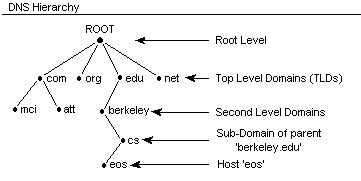
when you enter a website in browser’s address bar, it contains something like .com, .in, net at the end. These are called Top Level domains and are progressors of “. “. This ‘.‘ is the root level domain and is present in each address but hidden like google.com.
Here is small segment that talks about installing dig utility on windows.
- Run command prompt as Administrator.
Find the bind package by running “winget search bind”
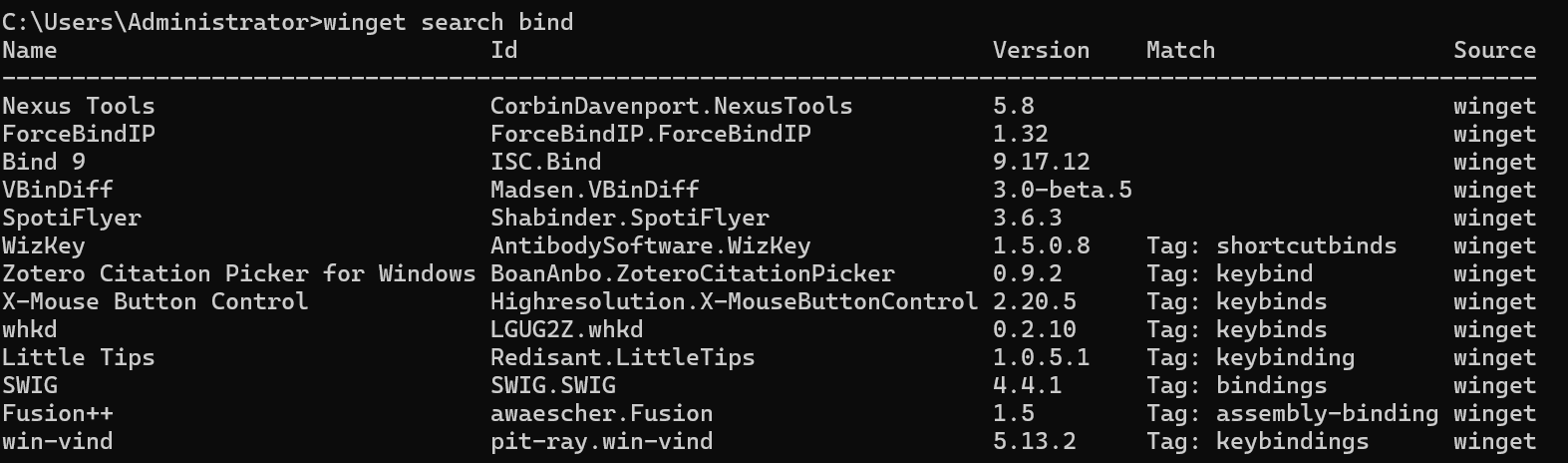
To install the utility, run “winget install ISC.bind“
Once installation is completed, re-start the command prompt. and “et voila”.
For ubuntu it is $apt-get install dnsutils
yum install bind-utils
What is the dig command and when it is used
Dig is a utility for querying DNS for troubleshooting and diagnostic purposes.
DNS Lookups: Get IP addresses (A/AAAA records), mail servers (MX), name servers (NS), etc., for a domain.
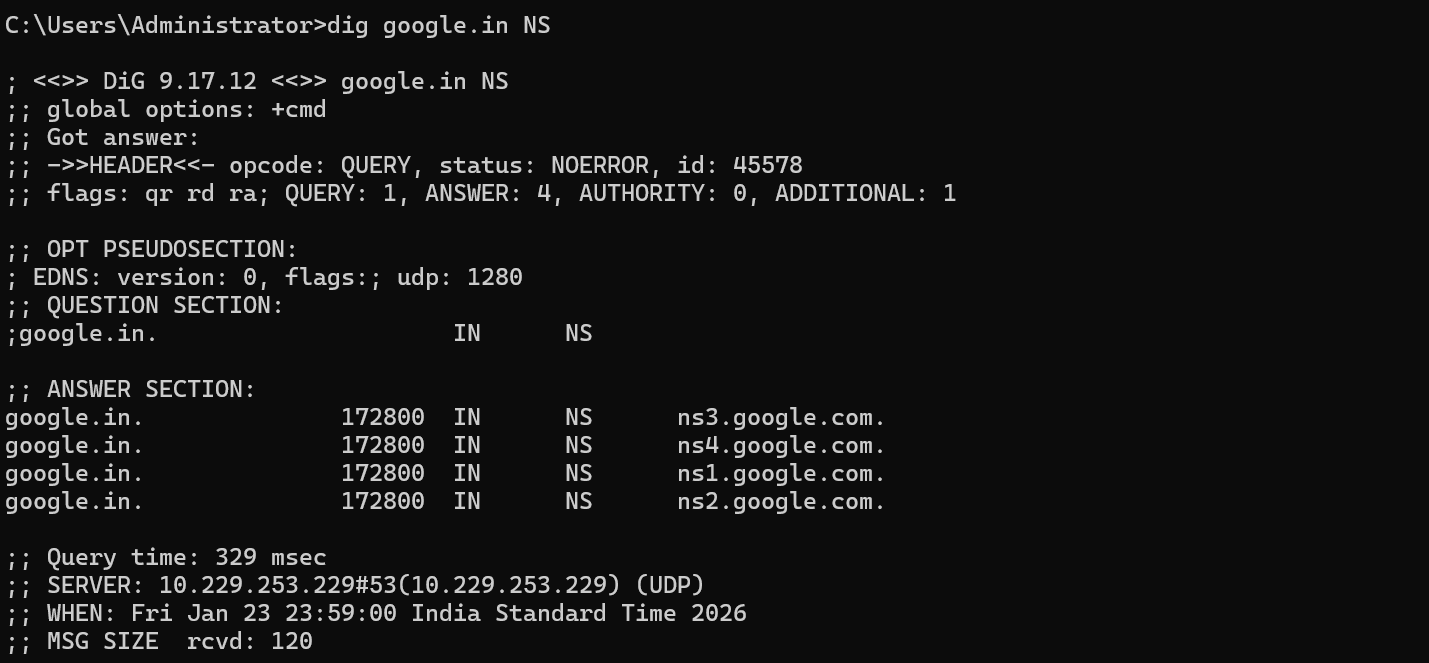
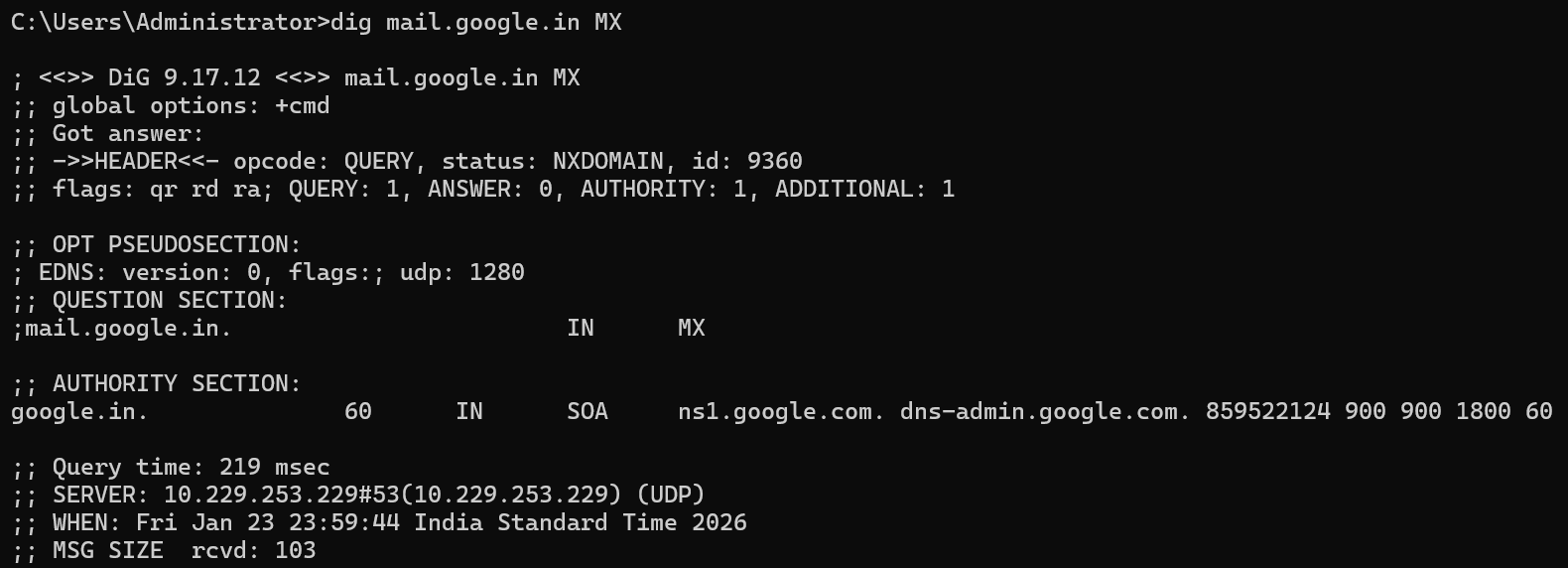
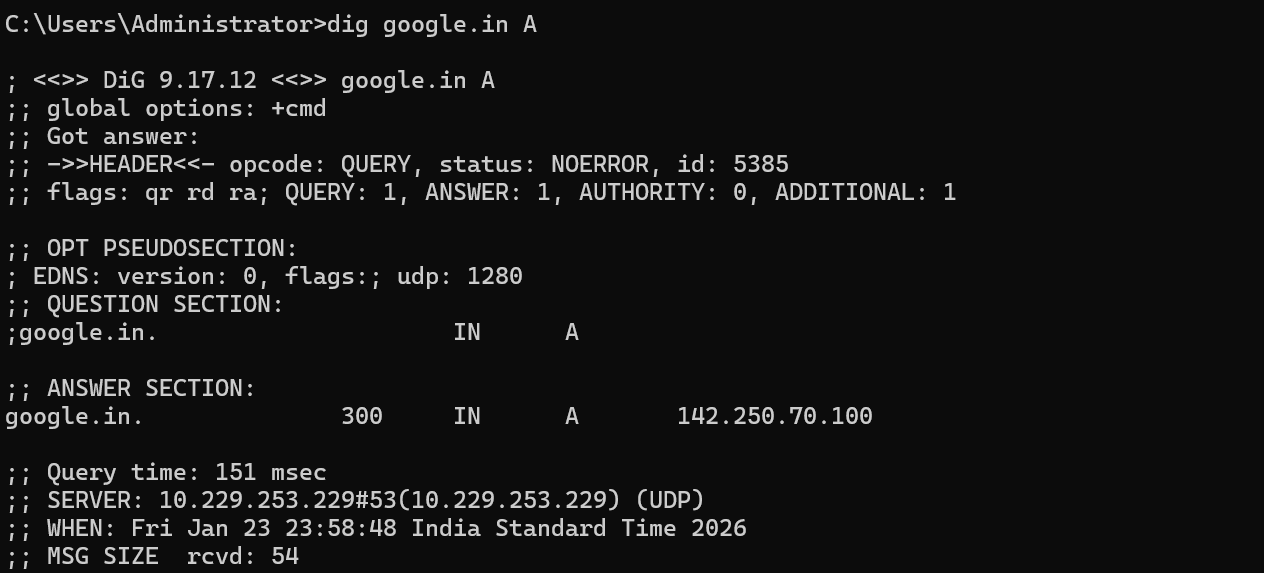
Troubleshooting: Diagnose why a domain isn't resolving correctly by querying specific servers or tracing resolution steps.
Reverse Lookups: Find hostnames from IP addresses using the
-xoption.- dig -x 8.8.8.8 queries from a particular source using reverse lookup.
Resolving queries from a
dig stands from “domain information groper”.
Understanding dig . NS and root name servers
dig chaicode.com NS gives a list of authoritative servers. These servers can be further used to query the DNS records. like dig @trace.ns.cloudflare.com chaicode.com. Making a query like “dig chaicode.com .” gives the SOA (source of authority) / root domain.
Understanding dig com NS and TLD name servers
This command gives all the TLD servers for the com root domain.
Understanding dig google.com NS and authoritative name servers
This is the way you can get the NS servers for google.com
Understanding dig google.com and the full DNS resolution flow
dig google.com gives the IP address for the google.com. One can get the NS record using dig google.com NS.